The short answer: write for the ear, not for silent reading. Give each sentence one clear thought, use the words you normally say, and read every paragraph aloud before recording. Use paragraph breaks to mark changes in thought; let the teleprompter’s font size and padding control how the lines wrap on screen.
A strong teleprompter script does two jobs at once. It gives the audience a clear message, and it gives the speaker text that is easy to scan without losing contact with the camera. A polished article may succeed at the first job and fail at the second.
The warning signs appear as soon as you read the draft aloud: a sentence needs a second breath, the important word arrives too late, or a phrase sounds like something you would write in an email but never say to another person. Those are writing problems. Changing the scroll speed will not solve them.
If you need the basics first, read what a teleprompter is and how it works. This guide starts one step earlier than the recording setup and focuses entirely on the script.
What makes a teleprompter script different?
A reader can stop, reread a clause, or look back at the previous paragraph. A listener cannot. They hear each sentence once, in the order you say it. Meanwhile, the presenter has to read, speak, breathe, gesture, and look toward the lens.
That changes the way the script should be built:
- Meaning must arrive in a clear order. Do not hide the point behind a long introduction.
- Sentences need a speakable rhythm. Grammar matters, but breath and emphasis matter too.
- The page needs visual landmarks. Short paragraphs make it easier to find the next thought and recover after a pause.
- Names, numbers, and symbols need preparation. The speaker should not have to decide how to pronounce them during the take.
A teleprompter script is not polished page copy. It is working text prepared for a particular voice, camera distance, and recording time.
Should you write every word or use an outline?
The right amount of scripting depends on what would go wrong if you improvised. Exact wording protects accuracy; fewer words leave more room for spontaneity.
| Approach | Works well for | Main strength | Main risk |
|---|---|---|---|
| Full script | Tutorials, sponsor messages, product details, approved statements | Accurate wording and more predictable timing | Can sound stiff if written like an article |
| Bullet outline | Personal stories, opinions, Q&A videos, familiar topics | More spontaneous phrasing | Easier to ramble or miss a point |
| Hybrid | Most creator and educational videos | Precise opening, transitions, and close with a flexible middle | Requires clear visual separation between scripts and prompts |
A hybrid is often the most forgiving option. Script the opening line, any fact that must be exact, the transition into each section, and the final call to action. Use short prompts for stories or explanations you already know well.
How to write a teleprompter script in eight steps
1. Choose one listener and one outcome
Picture one person on the other side of the lens. What do they already know? What question brought them to the video? What should they understand or do when it ends? A script written for “everyone” tends to collect background information that no individual viewer needs.
Write the outcome in one sentence before drafting: “After this video, the viewer will know how to shorten a script without losing the main point.” If a paragraph does not support that outcome, it probably belongs in another video.
2. Build the argument before the sentences
Make a short outline with four beats:
- Opening: name the problem or give the viewer a reason to stay.
- Context: explain only what they need before the answer makes sense.
- Main points: arrange the explanation in a sequence the listener can follow.
- Close: state the takeaway and the next useful action.
This prevents a common problem: polishing the first paragraph before you know where the rest of the script is going.
3. Say the rough version before you write it
Explain the idea aloud as if you were answering a friend. Record a voice memo or use dictation if that helps, then notice the phrases that came naturally. You do not have to preserve the filler words or repetitions. Keep the vocabulary, sentence order, and transitions that sound like you.
This is especially useful when a silent draft keeps becoming formal. Speaking first changes the question from “How should this be written?” to “How would I explain this?”
4. Replace page language with spoken language
Choose direct verbs and familiar words. Use “start” instead of “commence,” “use” instead of “utilize,” and “before” instead of “prior to.” Address the viewer as “you” when that is what you mean.
Contractions usually help: “you’ll,” “we’re,” and “don’t” sound closer to everyday speech than “you will,” “we are,” and “do not.” The CDC’s audio script guide makes the same recommendation and also favors active voice and purposeful punctuation. Keep the uncontracted form when you genuinely want extra emphasis: “This does not affect the recorded video.”
5. Give each sentence one main thought
There is no perfect sentence length. Use a breath test instead: read the sentence at the energy you want on camera. If you run out of air, rush the ending, or forget how the sentence began, split it.
Watch for words such as “which,” “while,” “although,” and “because.” They are not bad words, but several of them in one sentence often signal that two thoughts have been joined together. Put the supporting detail in the next sentence and let the first point land.
6. Prepare names, numbers, and abbreviations
Write for the sound you need to produce. Change “$2.7M” to “two point seven million dollars” if that is what you intend to say. Decide whether “2026” means “twenty twenty-six” or “two thousand twenty-six.” Add a phonetic hint beside an unfamiliar name and remove it after the pronunciation becomes automatic.
A dense row of figures may be accurate but impossible to absorb by ear. Ask whether every number needs to be spoken. The full list can often appear on screen while the presenter explains only the comparison that matters.
7. Use punctuation as a performance cue
A period tells you to finish the thought. A comma creates a smaller turn. A dash can set up a change in direction. A blank line gives the eyes a reset and makes a longer pause visible before you reach it.
Use brackets and capitalized emphasis sparingly. A single uppercase word or a simple marker can guide emphasis. A screen full of stage directions forces you to read instructions at the same time as the script.
8. Read the whole script aloud and cut again
Silent proofreading catches spelling. A spoken read catches the problems that cause retakes: repeated sounds, buried emphasis, awkward transitions, and sentences that only work on the page.
Do not merely practice around a difficult line. Rewrite it. The finished script should fit your mouth before you ask the teleprompter to fit your pace.
Teleprompter script example: page copy versus spoken copy
Both versions below communicate the same idea. The second gives the speaker cleaner places to breathe and the listener less information to hold at once.
Written for the page
In order to improve the overall consistency of your video production process, it is recommended that creators prepare and review their complete script before beginning the camera setup, which can help identify problems that might otherwise cause delays during recording.
Written for the teleprompter
Want more consistent videos?
Prepare the script before you set up the camera.
You’ll catch long sentences early—and spend less time fixing them during recording.
The revision removes the passive opening, brings the benefit into the first line, and turns one long sentence into three spoken beats. Those beats also give the presenter clear places to pause and change emphasis.
How to format a script for a teleprompter screen
Separate writing decisions from display decisions. In the script itself, use paragraph breaks to mark a new thought, a change of speaker intention, or a deliberate pause. In the teleprompter, use font size, horizontal padding, and line spacing to make those paragraphs comfortable to read from the recording distance.
Avoid pressing Return after every visual line. Manual line breaks may look right on one phone in portrait mode, then become awkward when the font grows or the device rotates. Let the app wrap normal lines. Preserve manual breaks for meaning.
Developer’s note
Sufle stores the script separately from its display settings. That is intentional: padding can narrow the reading column without adding permanent line breaks to the text. The same script can then work in portrait, landscape, or a mirrored physical teleprompter setup.
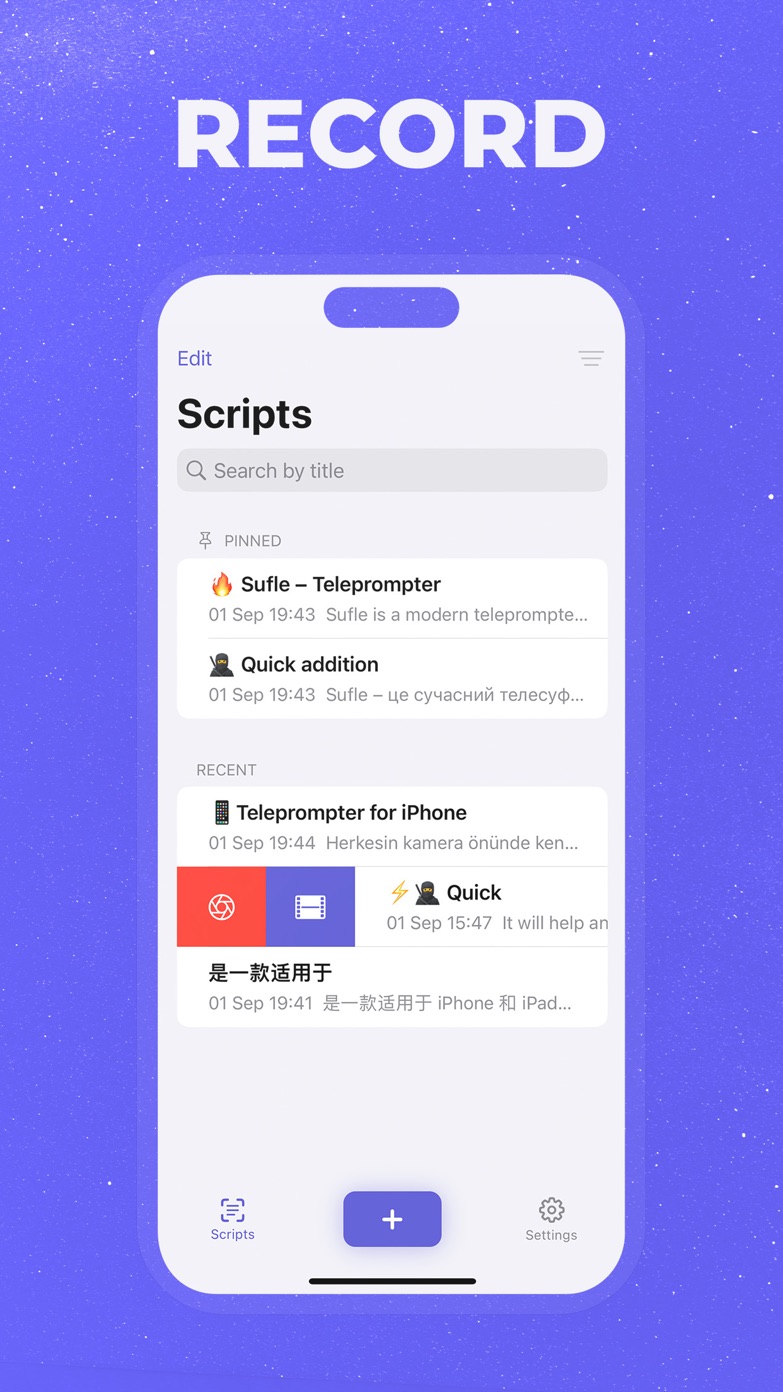
For the recording layout itself, the companion guide explains how to set text size, padding, pace, and camera position on iPhone.
How long should a teleprompter script be?
Start with a planning range of 130 to 150 words per minute for clear direct-to-camera speech. This is not a target you must hit. A tutorial with unfamiliar terms may be slower; an energetic short video may be faster. Pauses, demonstrations, and on-screen actions all add time without adding words.
| Target speaking time | First word-count estimate | Good use |
|---|---|---|
| 30 seconds | 65–75 words | Short tip, hook, or introduction |
| 1 minute | 130–150 words | Reel, Short, or concise update |
| 2 minutes | 260–300 words | Product explanation or lesson segment |
| 5 minutes | 650–750 words | Tutorial, presentation, or YouTube section |
| 10 minutes | 1,300–1,500 words | Detailed lesson or structured video |
Sufle shows the word count and an estimated duration while you create or edit a script. Use that estimate to shape the first draft, then time one real read. Your measured pace is more useful than any general words-per-minute rule.
A reusable teleprompter script template
This structure works for a tutorial, product explanation, educational video, or direct-to-camera update. Remove any block the video does not need.
OPENING
Name the viewer’s problem, question, or desired result in one or two sentences.
PROMISE
Tell them what they will understand or be able to do by the end.
CONTEXT
Give only the background needed for the first point to make sense.
POINT 1
State the idea. Explain it. Give one concrete example.
TRANSITION
Connect the first point to the next question.
POINT 2
State the next idea. Explain what changes in practice.
RECAP
Return to the main promise in fresh words.
NEXT STEP
Ask for one clear action: try the method, watch the next lesson, download the app, or respond.
Read the transitions aloud with extra care. They often look harmless on the page but reveal whether the video truly moves from one idea to the next.
Common teleprompter script mistakes
- Starting with throat-clearing. “Today I want to talk about” delays the subject. Begin with the subject unless the introduction adds useful context.
- Putting several claims in one sentence. The speaker rushes and the audience has to remember too much before the period arrives.
- Polishing only in silence. A line can look elegant and still be difficult to say.
- Formatting every screen line by hand. The layout breaks as soon as the font, device, or orientation changes.
- Marking every gesture and emphasis. Too many cues compete with the words you actually need to deliver.
- Forcing the draft into an exact time. Measure a real read before cutting useful detail or speeding up the voice.
- Expecting a perfect first take. The test recording is part of editing the script, not proof that the draft failed.
From draft to recording in Sufle
- Create a script or paste in an existing draft.
- Use the word count and estimated duration to check whether the draft fits your target.
- Read the script aloud and edit every phrase that slows you down.
- Open the teleprompter and adjust font size, padding, and line spacing for the recording distance.
- Record 30 seconds at your natural pace.
- Return to the script, make the final cuts, and record in manageable sections.
The test is where writing and setup meet. If the voice sounds stiff, revise the words. If the eyes move too much, revise the display. Keeping those two fixes separate saves time.

Write, time, rehearse
Put your next script in Sufle
Keep scripts organized, check their estimated duration, and adjust the reading layout before you record.
Common questions about teleprompter scripts
How many words are in a five-minute teleprompter script?
About 650 to 750 words is a useful first estimate at 130 to 150 words per minute. Time a full read before recording because pauses, technical terms, and your natural delivery can move the result outside that range.
Should a teleprompter script be written in all caps?
Usually not. All caps can help with an occasional word that needs emphasis, but full paragraphs are harder to scan because the word shapes look more similar. Use a readable font size, normal capitalization, and occasional uppercase emphasis instead.
Should I write every word I plan to say?
Write every word when timing, accuracy, or approval matters. Use an outline for a familiar story or opinion where your natural phrasing is more valuable than exact wording. A hybrid script can use complete sentences for the opening and close, with prompts in the middle.
How should I mark pauses in a teleprompter script?
Use normal punctuation for small pauses and a blank line for a larger beat or change of thought. A simple “[pause]” cue can help in a critical spot, but too many directions make the screen harder to read.
Can I paste an article into a teleprompter?
Yes, but treat it as a draft. Shorten layered sentences, replace page-style transitions, spell out difficult numbers, and read the result aloud. An article is written for a reader who can look back; the teleprompter version must work when heard once.
Write the version you can actually say
A natural teleprompter delivery begins before the camera is mounted. Build the message in a clear order, use words that belong to your voice, and remove anything the viewer does not need.
Then test the script where it will be used: out loud, on the teleprompter, at the real camera distance. The awkward moments will tell you whether to change the wording or the display. Once the script is easy to say and easy to scan, the teleprompter can do its proper job—keep the next thought close without getting between you and the viewer.